




User Guide
GUIDE


User Guide
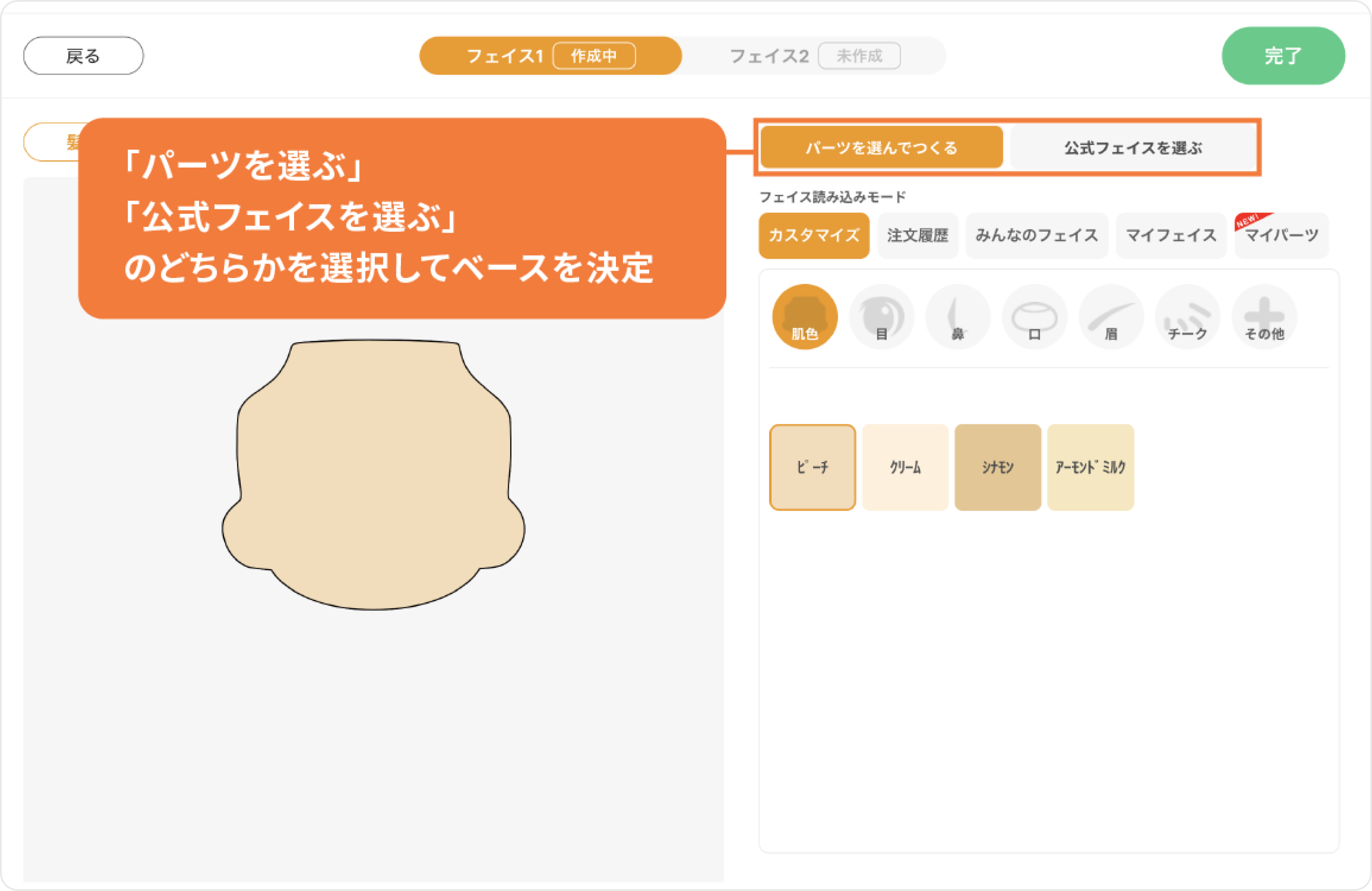

Table of Contents
What are Nendoroids?
 What is Nendoroid Face Maker?
From Free Account Registration to Item Delivery
How to Use the Face Creation Screen
About Collaboration Faces
About Other Items
How to Use My Page
How to Use Coupons
Precautions for Use
Contact Us
What is Nendoroid Face Maker?
Nendoroid Face Maker is an official service by Good Smile Company that allows users to create original face plates by selecting and arranging various facial feature parts.
The original face parts created using this service can be used with existing Nendoroids and Nendoroid Dolls.
*Please note that some Nendoroids and Nendoroid Dolls may not be compatible.
From Free Account Registration to Item Delivery
1. Create an Account
A Nendoroid Face Maker account is required to use this service. (Registration is free.) Please register using one of the two methods below.
To register as a member with your email address:
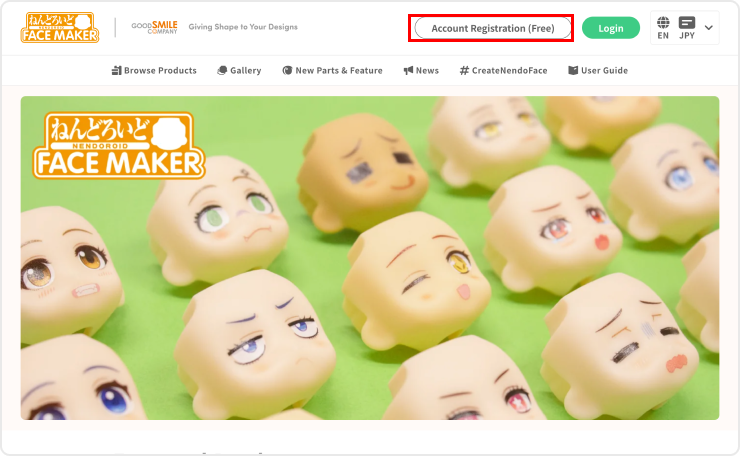
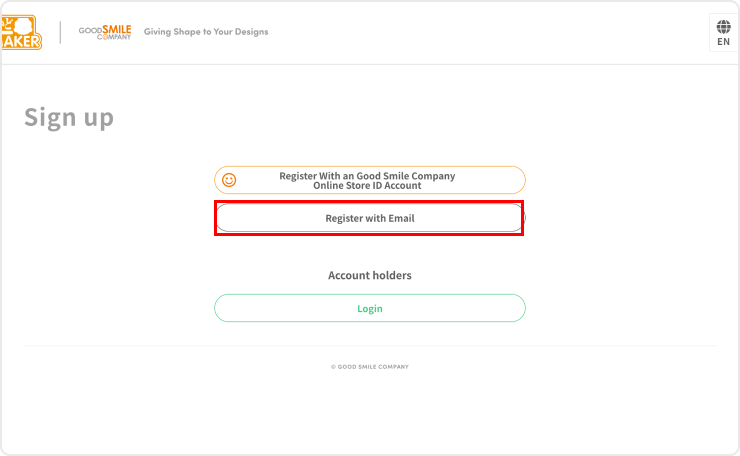
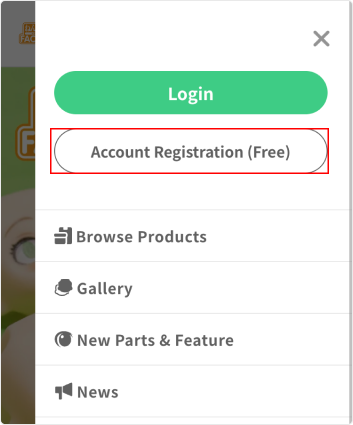
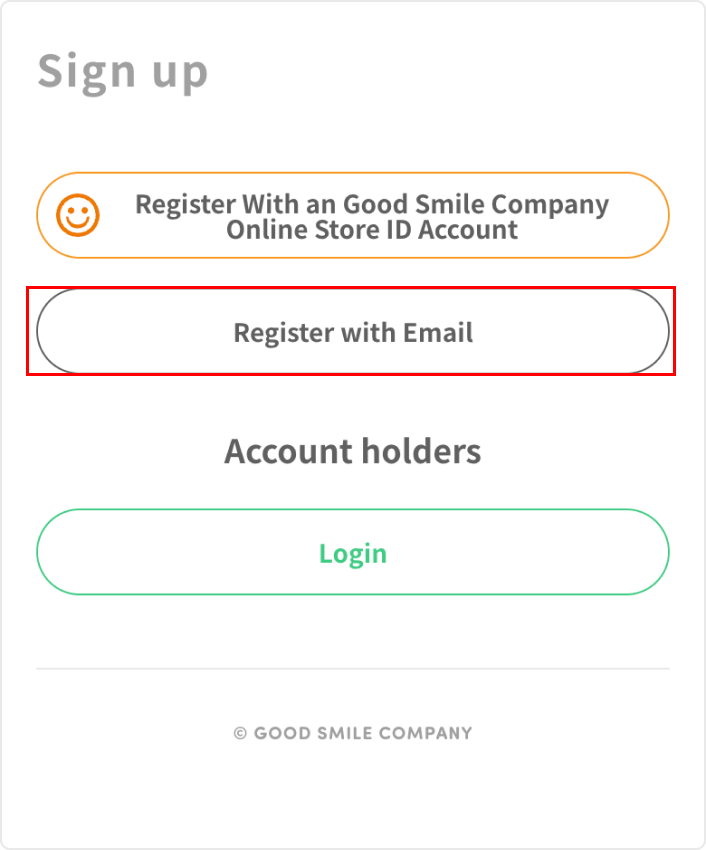
Click the "Account Registration (Free)" button to open the page, then click the "Register with Email Address" button.
Enter your member information, including your email address and password, then click the "Agree and send authentication email" button.
A verification email will be sent to your email address. Click the verification URL in the email to complete your registration.
To register as a member with your existing Good Smile Company Online Store ID:
You can use your Good Smile Company Online Store ID to register for a Nendoroid Face Maker account.
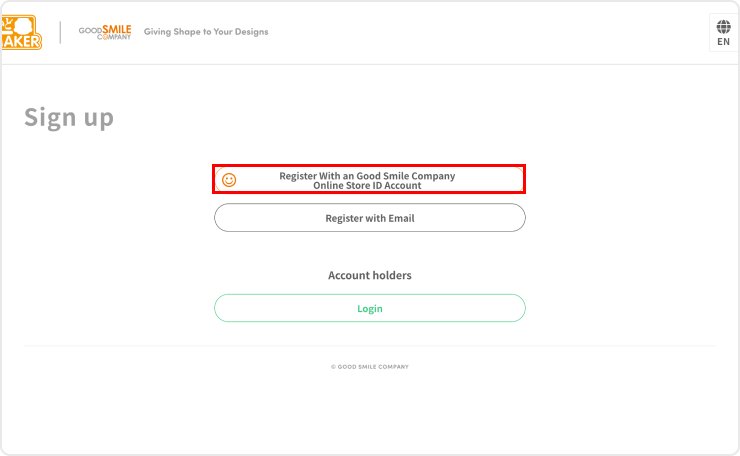
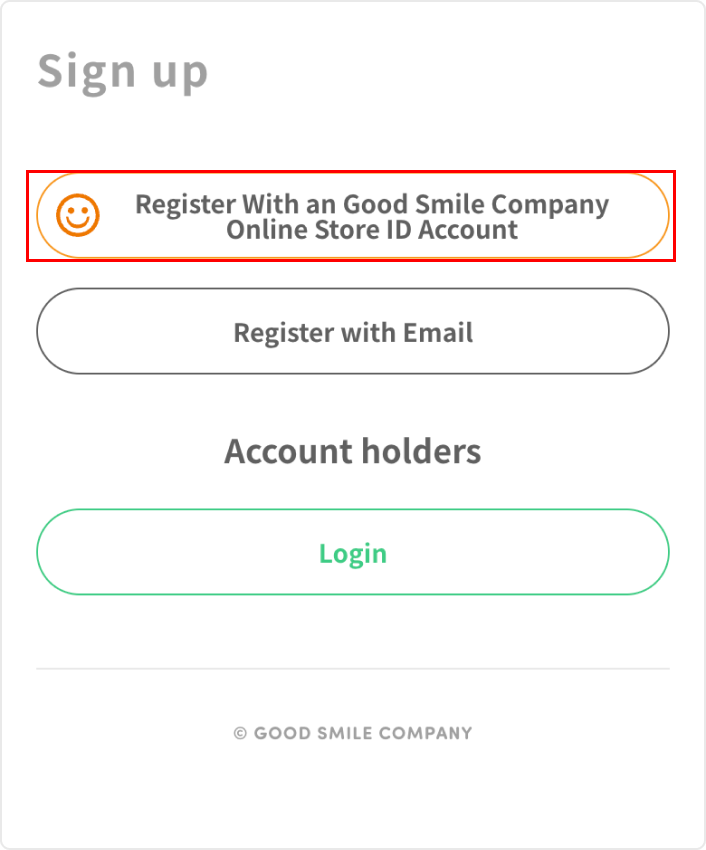
Click the "Account Registration (Free)" button to open the page, followed by the "Register with Good Smile Company Online Store" button.
On the next screen, log in to your Good Smile Company Online Store account to complete your Nendoroid Face Maker account registration with your ID linked.
* Please note that any changes made to your Good Smile Company Online Store account information (such as your name or address) after registration will not be reflected in your Nendoroid Face Maker account.
2. Select Item
For original faces:
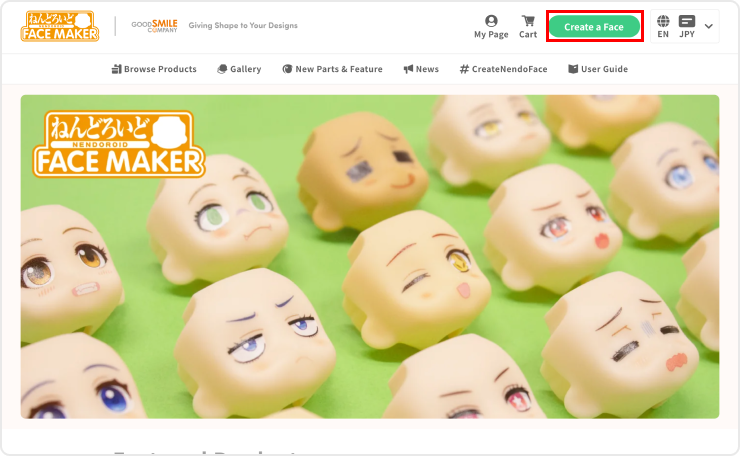
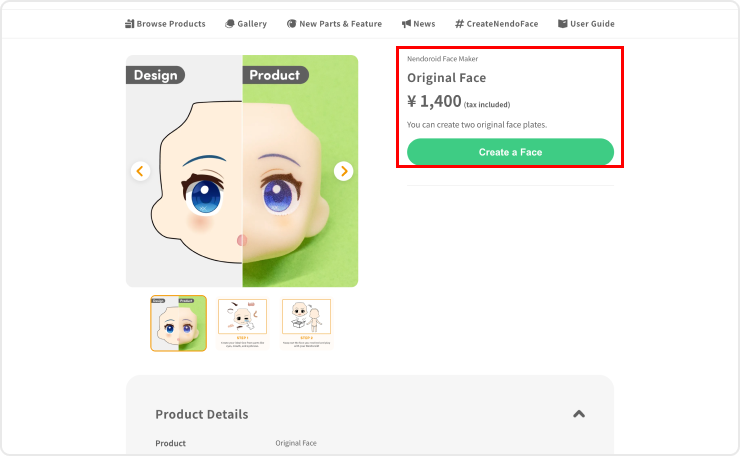
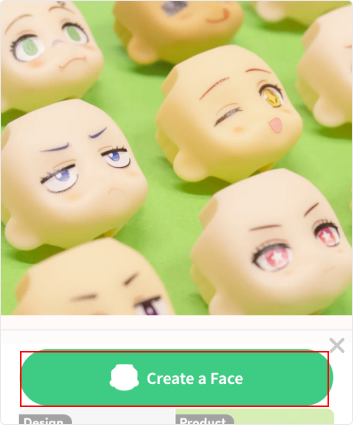
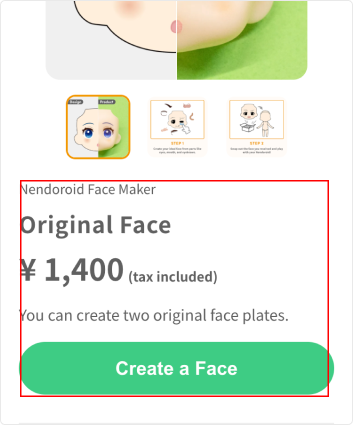
Click the "Create Face" button shown on the top page, etc. On the next screen, click the "Create Face" button again to proceed to the face creation screen. On the face creation screen, you can create up to two original faces.
For items other than original faces:
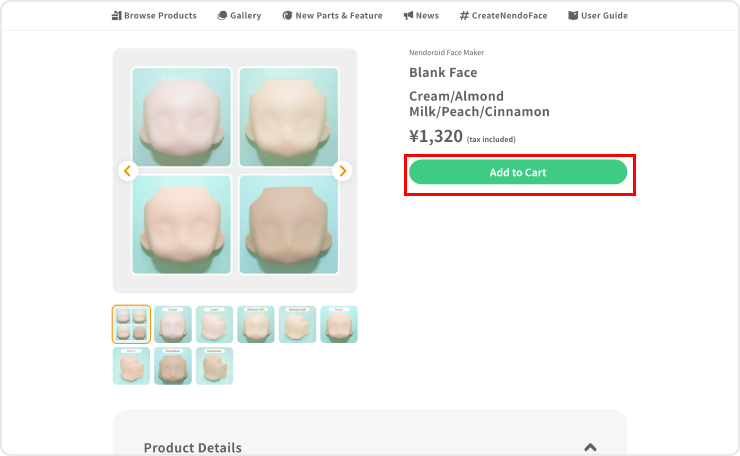
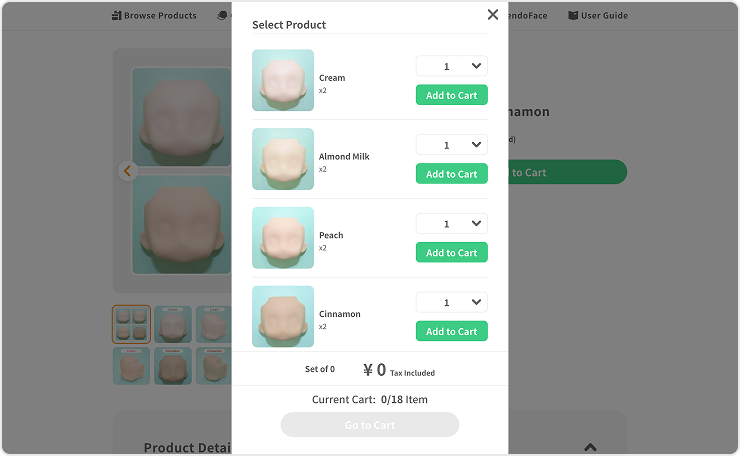
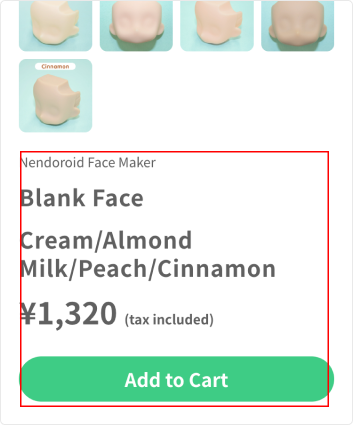
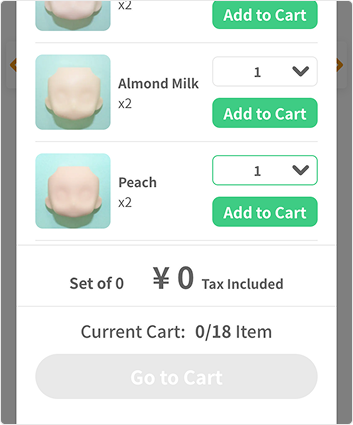
Click the "Add to Cart" button on the item page for each Face Plates, Hand Parts, or Hoodie item, and add your preferred items to your cart. For instructions on how to place your order, please see "5. Proceed to Checkout."
3. Design Your Face Plate
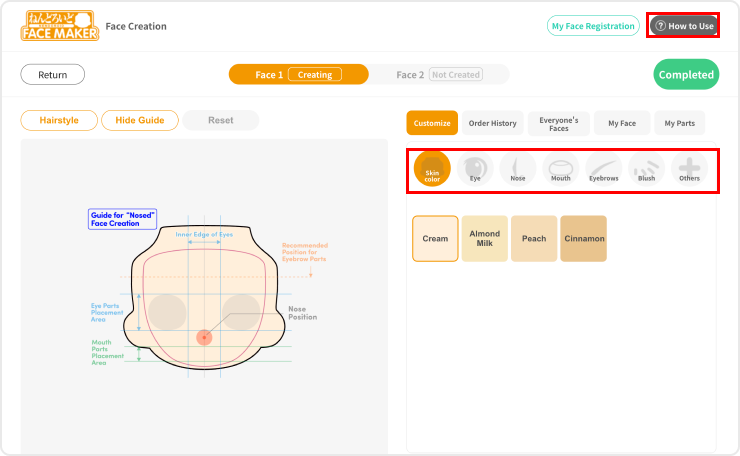
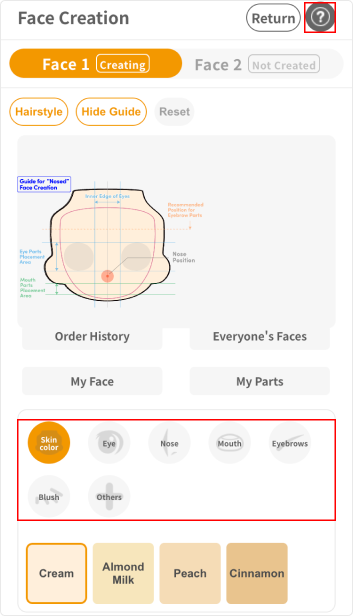
The face creation screen allows you to design an original face plate by combining various parts.
Choose your desired parts from the "Skin Color," "Eyes," "Nose," "Mouth," "Eyebrows," "Blush," and "Other" categories, and freely adjust the position, size, and other attributes of each part.
For detailed instructions on face creation, please refer to the How to Use section on the face creation screen.
* Please note that face designs with nose parts may not be aligned with the three-dimensional nose part on the face plate. We recommend removing the relevant parts before submitting your design.
4. Confirm Your Design
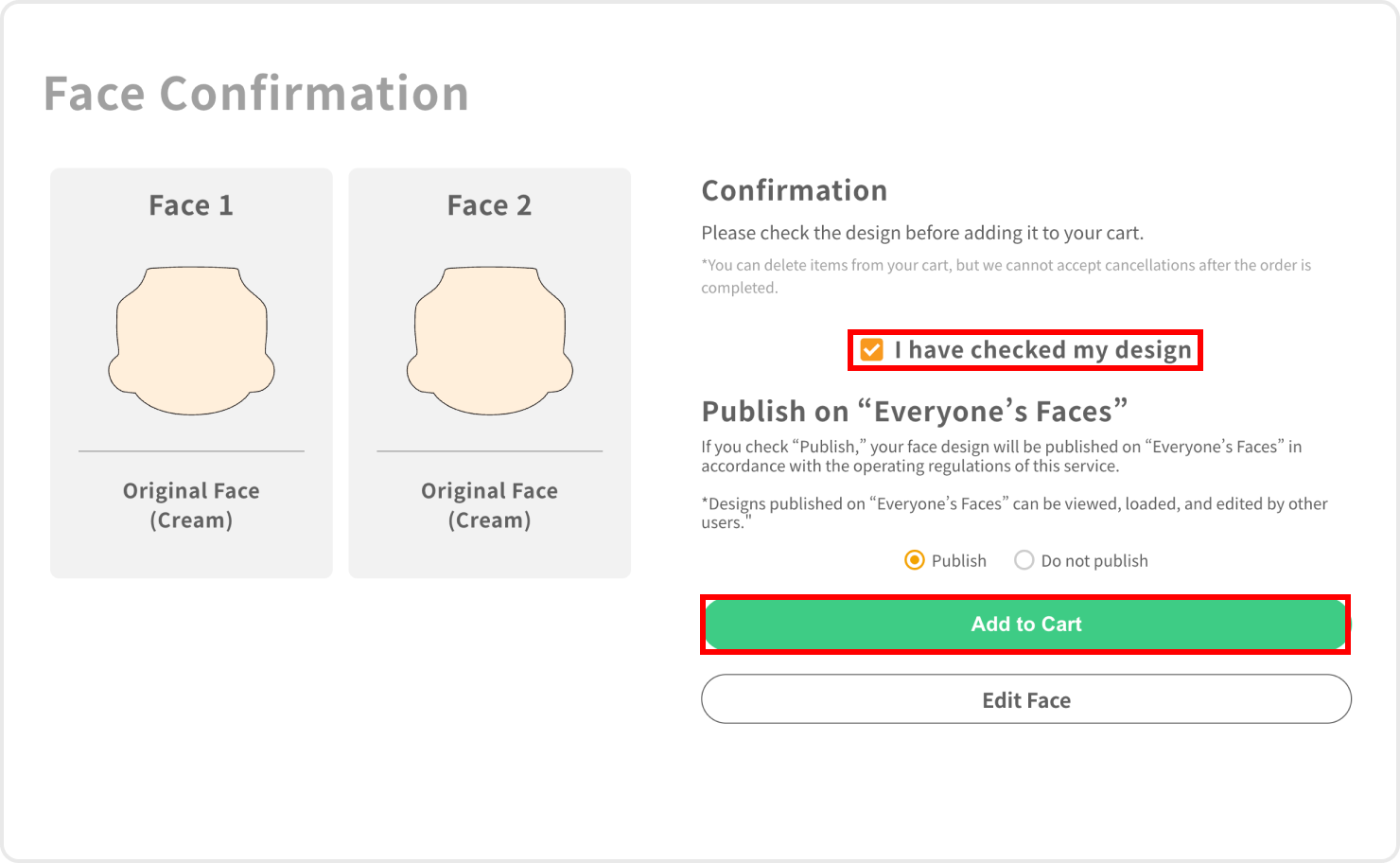
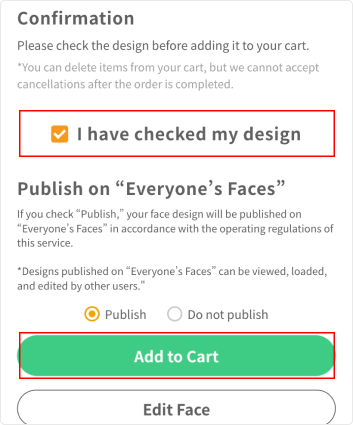
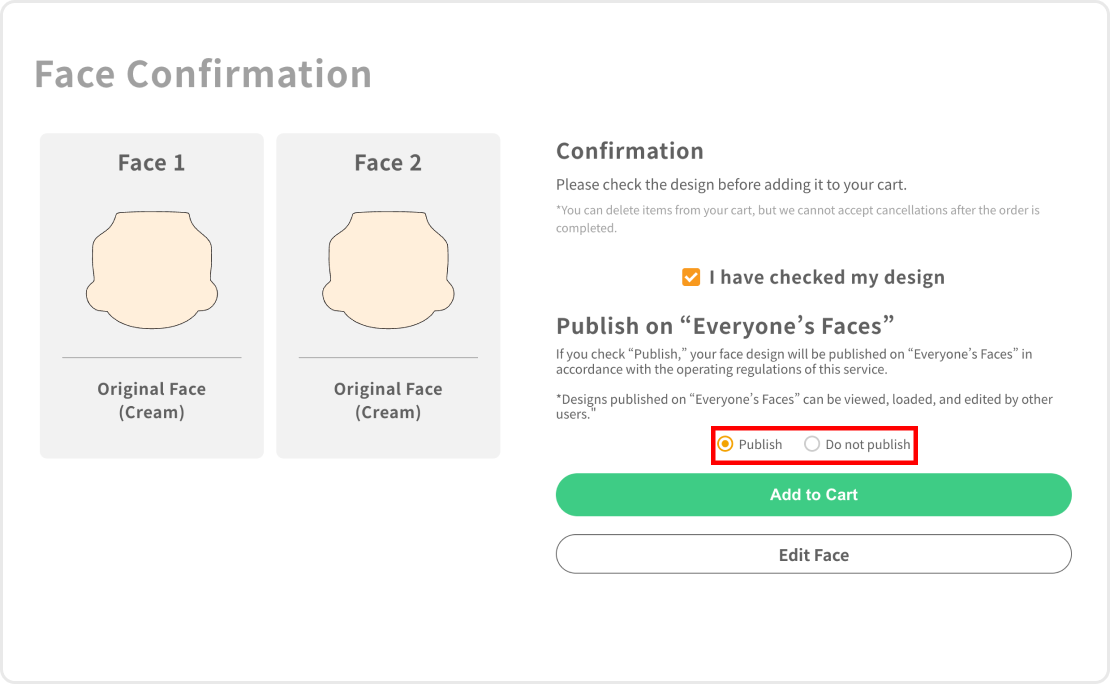
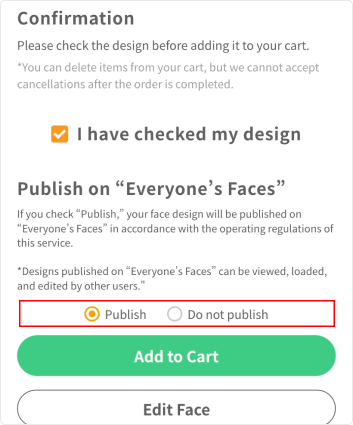
Your completed design can be viewed on the "Confirm Your Design" screen. Check the "I have checked my design" box, choose whether or not you want your face to be featured in "Everyone's Faces", and press the "Add to Cart" button to proceed to the cart screen.
* You can re-edit your face from "Face 1" by pressing the "Edit Face" button. * Please note that once you proceed to the cart screen, your face design cannot be edited.
Regarding the Posting of Faces on Everyone's Faces
If you select "Publish" in the options, the face design you create will be posted in "Faces on Everyone's Faces (Gallery)" in accordance with the service's operating regulations.
* Designs posted on "Faces on Everyone's Faces" can be imported and edited by other users from the face creation screen.
5. Proceed to Checkout
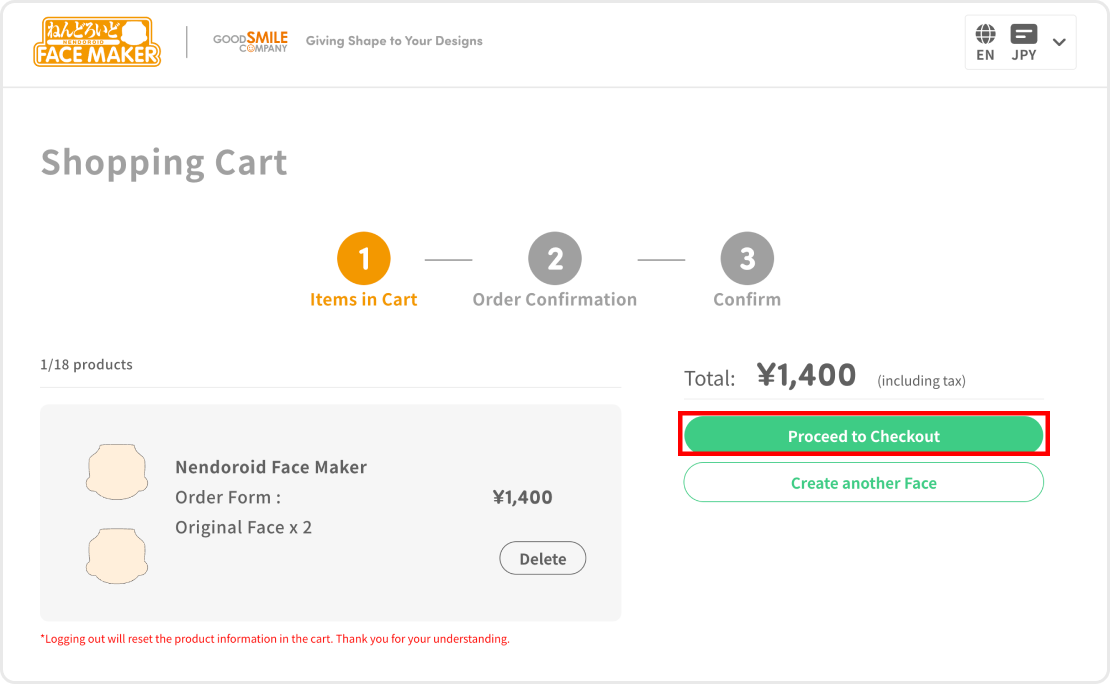
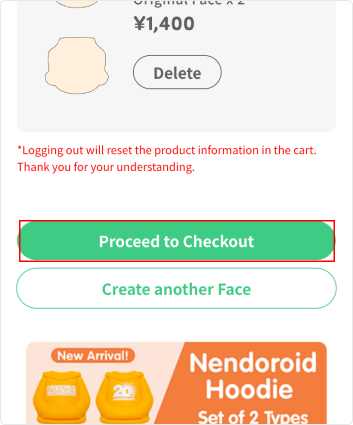
On the cart screen, click the "Proceed to Checkout" button to open the Order Confirmation screen, and check your order details and customer information. Select either "Stripe" or "PayPal," then click the "Proceed to Payment" button to complete your order.
6. From Order Completion to Delivery of Order
Once your order has been placed, an email confirming the completion of your order will be sent to your registered email address.
* Pre-order items ship at a different time than regular items. Please check each item page for details.
Products are shipped from our factory in Tottori, Japan.
Delivery times vary depending on the destination. After your order is shipped, a tracking number will be issued, and you can check the delivery status on the official EMS website.
How to Use the Face Creation Screen
Steps and Status
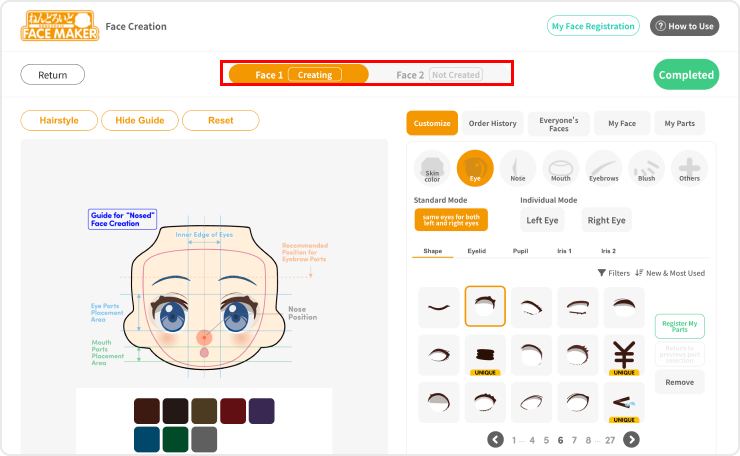
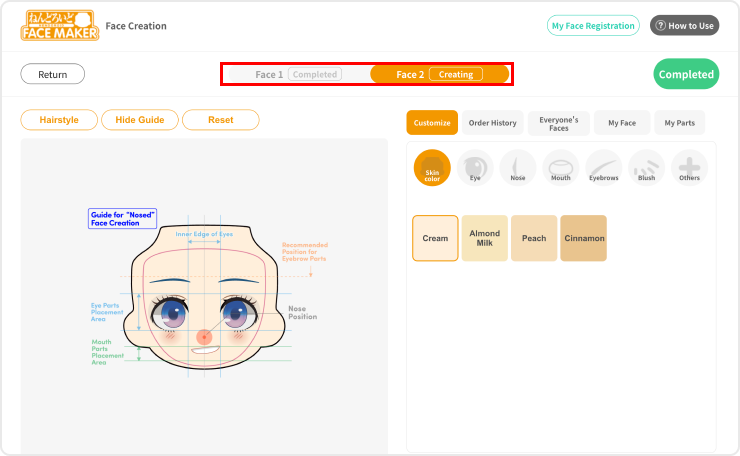
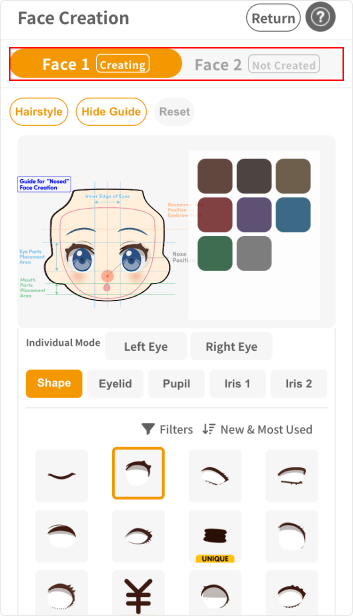
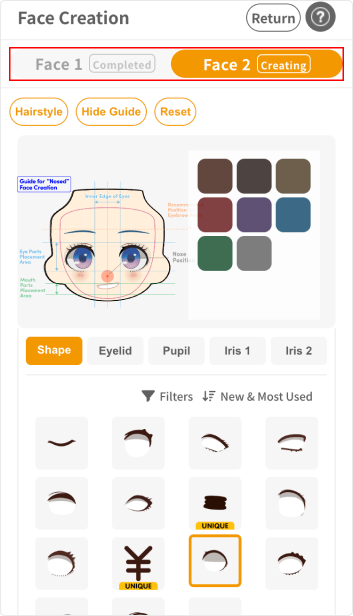
On the Face Creation screen, you can create up to two original faces. You can create two Faces, "Face 1" and "Face 2." The following status will be displayed on the screen depending on the creation status of each.
- Created: Face plate currently being edited
- Not Created: Face plate for which design has not yet started
- Completed: Face plate for which design is complete and has been confirmed
If you would like to re-edit "Face 1" while in the midst of editing "Face 2":
Click the "Face 1" button to return to the editing screen for Face 1. Please note that this will reset the design for Face 2.
* We recommend registering any unfinished face designs in "My Faces".
About the Various Buttons
"Hairstyle" Button
Each time you click the "Hairstyle" button, a different hairstyle sample is displayed in sequence. Please use this as a reference image for when the face plate is used with a head part.
"Remove Hairstyle" Button
Hides the currently displayed hairstyle sample. To redisplay the hairstyle, click the "Hairstyle" button.
"Display Guide" Button
Clicking the "Display Guide" button displays guide lines in the face design preview area. Click the "Hide Guide" button to hide guide lines.
"Reset" Button
Clicking the "Reset" button resets all parts placed in the preview area and returns it to its initial state.
"Complete" Button
Sets the face design currently being edited to "Completed" status.
"My Face Registration" Button
Registers the current state of the preview area to "My Face." Registered designs can be loaded or edited.
Customizing Your Face
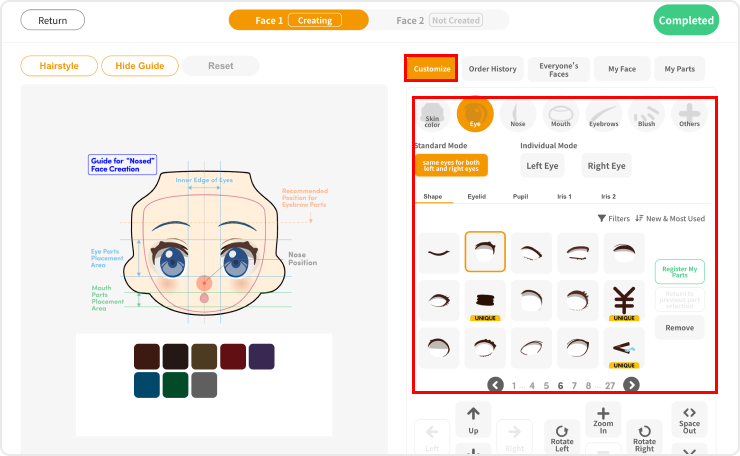
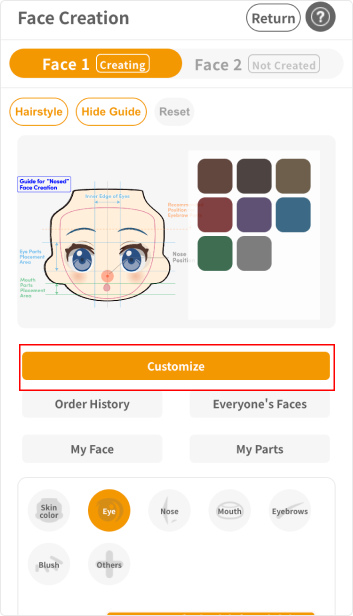
Customize
Customize each part such as the "Eyes," "Mouth," and "Eyebrows" to create an original face design.
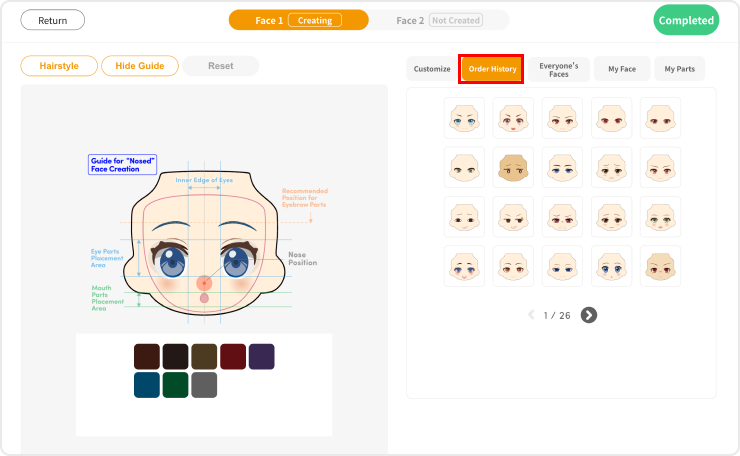
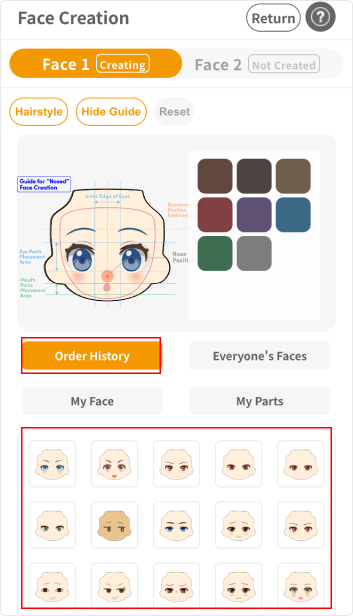
Order History
View face designs that you have ordered in the past. Selected designs can be loaded and edited.
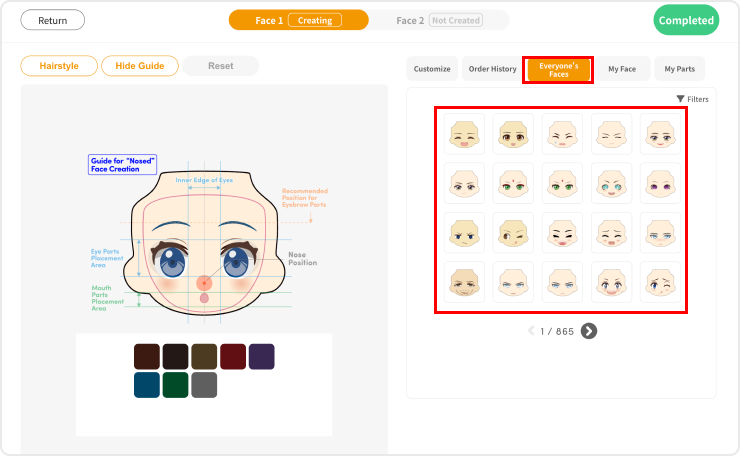
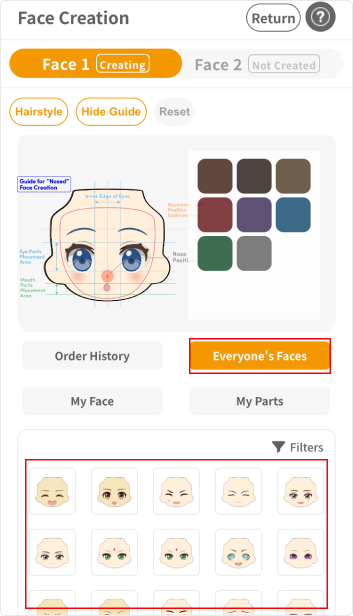
Everyone's Faces
View face designs published in "Everyone's Faces". Selected designs can be loaded and edited.
My Face
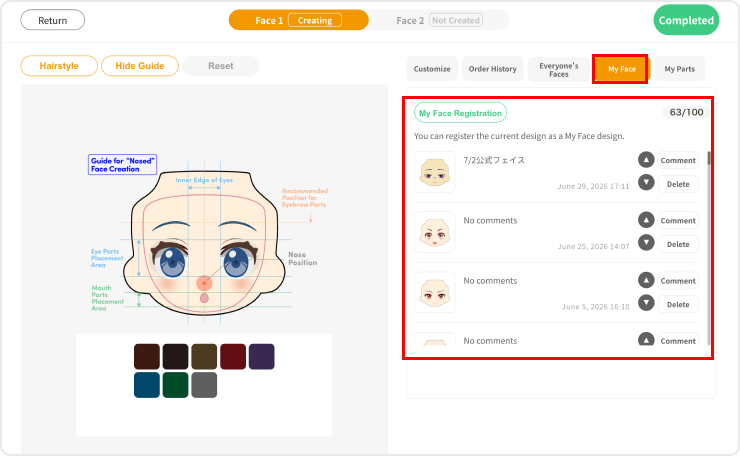
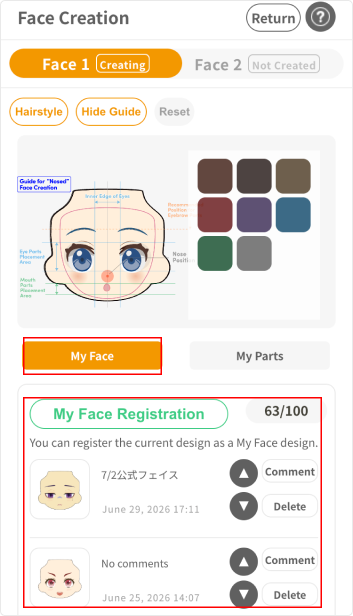
View designs registered in "My Face." Selected designs can be loaded and edited.
- Save limit: up to 100 designs
- "My Face Registration" button: register the current face in the preview area to My Face
- ▲ and ▼ buttons: change display order within the list
- "Comment" button: leave a comment on design (up to 40 characters)
- "Delete" button: delete the registered face
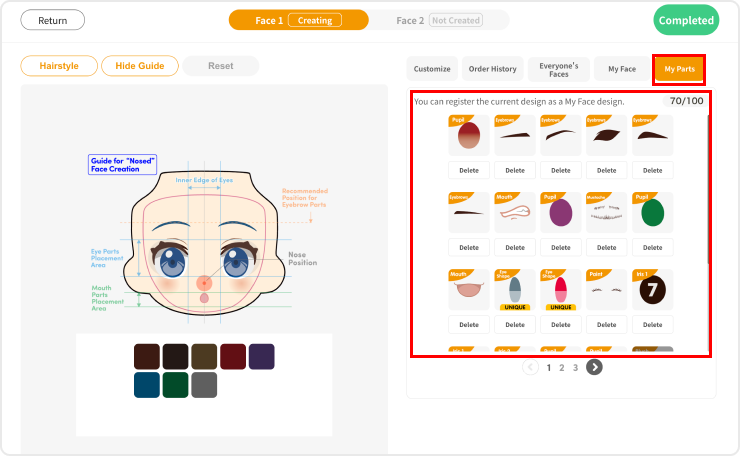
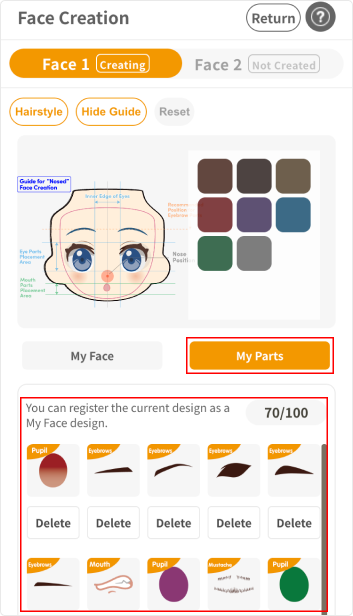
My Parts
View parts registered in "My Parts." Selected parts can be loaded and repositioned.
- Save limit: up to 100 parts
- "Delete" button: delete registered parts
Composition of Face Parts
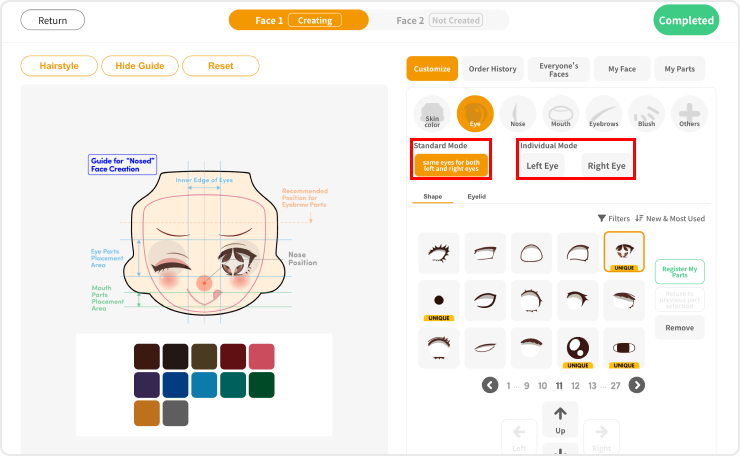
Each face is composed of the following seven categories. By clicking the buttons for each category, you can select the corresponding part design.
1. Skin
- Colors: Peach, Cream, Cinnamon, Almond Milk
2. Eyes
- Subparts: Shape, Eyelids, Pupils, Iris
3. Nose
4. Mouth
5. Eyebrows
6. Cheeks
7. Others
- Face Paint, Beard, Moles, Scars, Wrinkles
* Please note that face designs with nose parts may not be aligned with the three-dimensional nose part on the face plate. We recommend removing the relevant parts before submitting your design.
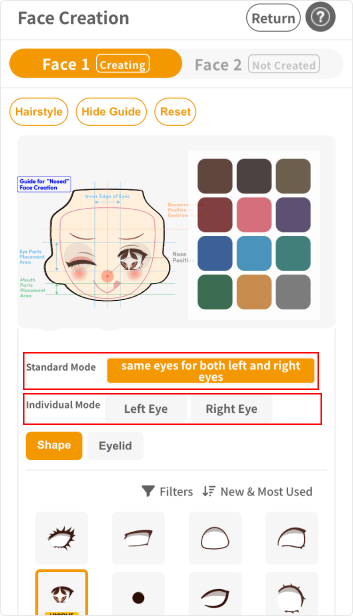
"Standard Mode" & "Individual Mode"
"Eyes" and "Eyebrows" parts can be customized in two modes.
- Standard Mode: Customization will be reflected on both sides.
- Individual Mode: Reflects customization on either the left or right side only (ideal for expressions like winking faces).
Movement, Scaling, and Rotation of Parts
Parts placed in the preview area can be moved, scaled and rotated using the various buttons as follows.
- Up / Down / Left / Right
- Zoom In / Zoom Out
- Rotate Left / Rotate Right
- Close In / Spread Out
*Some buttons may not be available for certain parts.
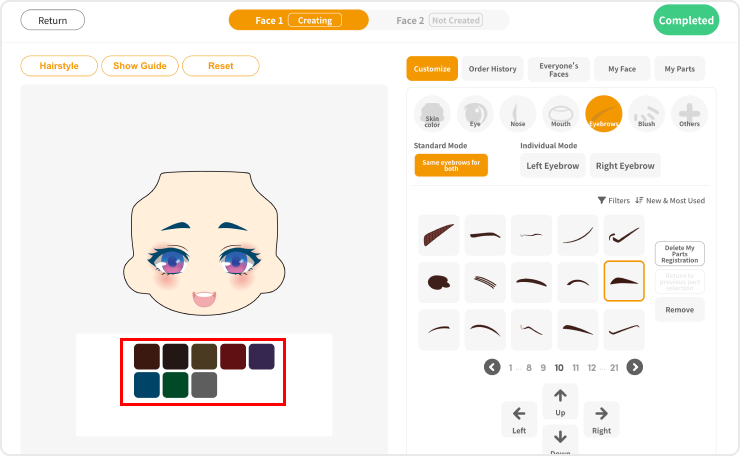
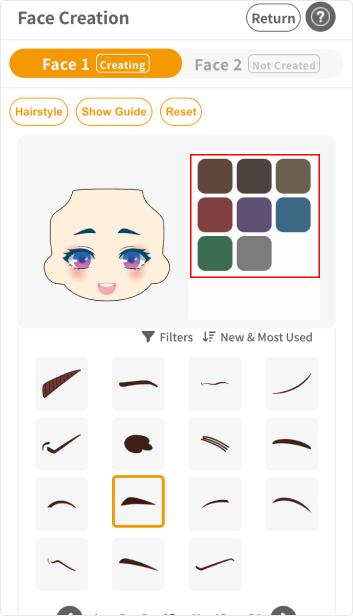
Color Customization
By clicking the "Color" button at the bottom of the preview area, the color of each part can be customized.
Unique Parts
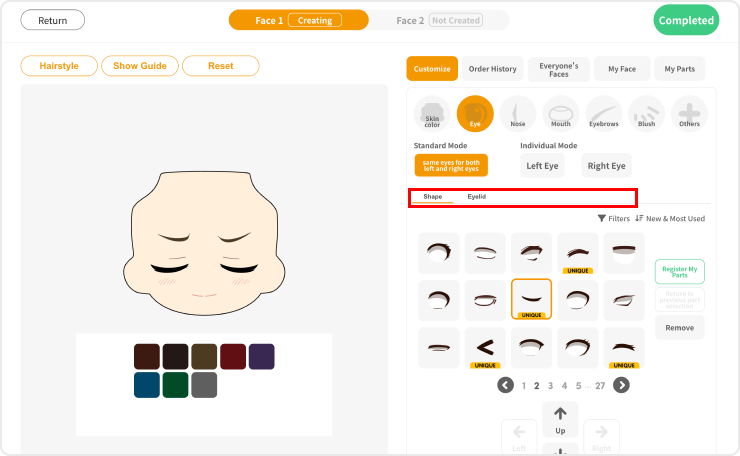
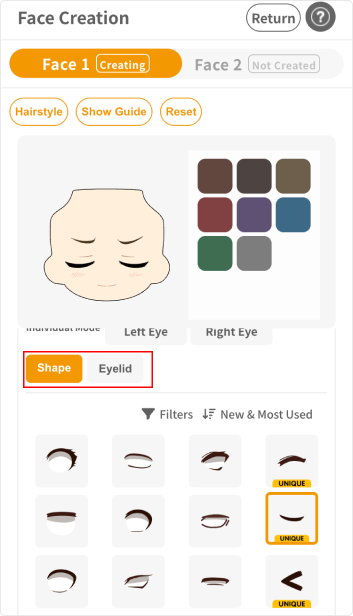
Unique Parts are special parts that let you enjoy customizing highly distinctive designs, although "Pupil" and "Iris" parts cannot be added when using them.
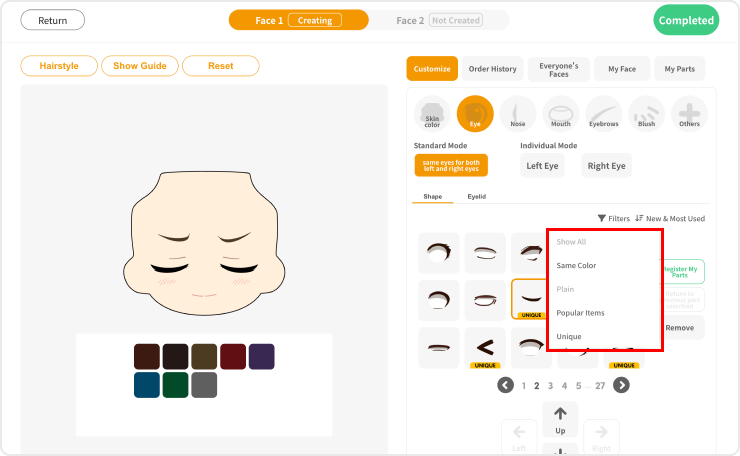
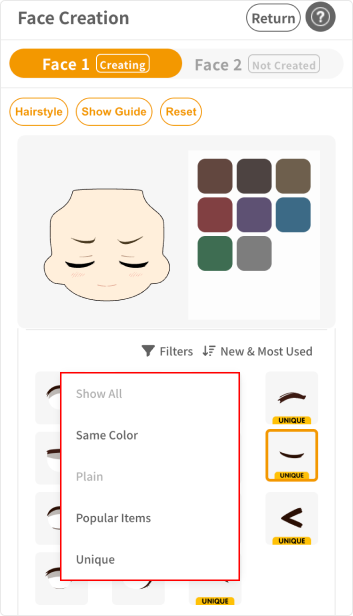
"Filter" Feature
You can narrow down the parts list based on different themes such as "Same Colors," "Plain," "Popular Items," and "Unique."
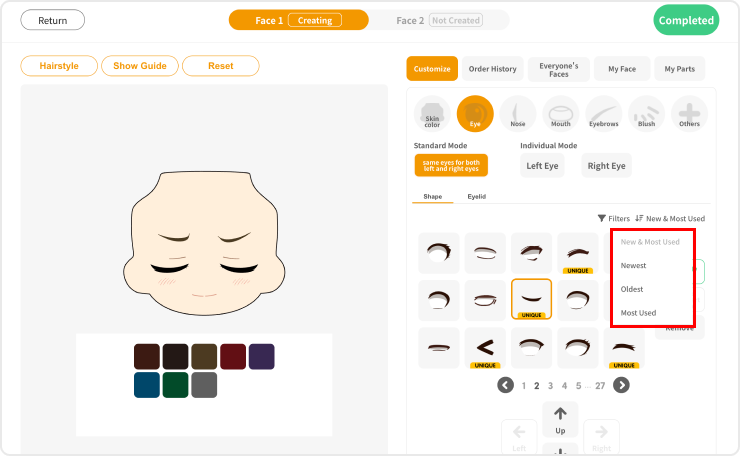
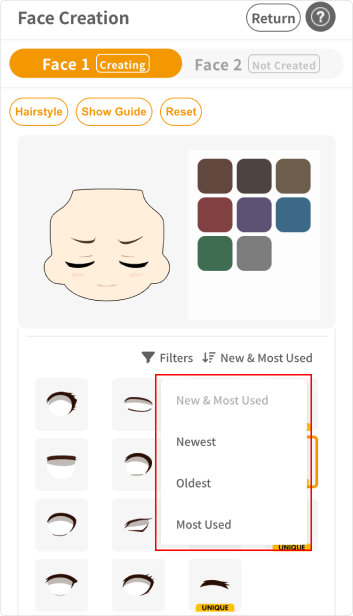
"Sort" Feature
You can sort the parts list by "Newest & Most Popular," "Newest," "Oldest," or "Most Used."
About Collaboration Faces
Collaboration Faces are collaboration-exclusive expression parts based on the expression parts included with Nendoroids.
Collaboration Faces are available in six (6) types per item, and can be ordered starting from a set of two.
For Pre-Order Items
Collaboration Faces may be sold as pre-order items.
Since pre-order items ship separately from regular items at a different time, a separate shipping fee and handling fee will apply for each shipment if both are ordered together. Please check each item page for details.
About Other Items
Blank Faces
Plain face plates with no printed designs or processing. Available in Cream, Almond Milk, Peach, and Cinnamon; available to order starting from a set of 2 pieces per color.
Nendo Face Selection
An official series of face plates featuring comical expressions. As these are finished products that require no customization, they are available to order starting from a set of 2 pieces.
Hand Parts
Hand parts compatible with Nendoroids and Nendoroid Dolls. Available in Cream and Almond Milk; available to order starting from 2 sets per color.
Nendoroid Hoodies
Hoodie parts designed for Nendoroid dress-up. Each design is available to order starting from a set of 2 pieces.
How to Use My Page
My Face
You can view and delete face designs registered in "My Face" on the face creation screen.
My Parts
You can view and delete parts registered in "My Parts" on the face creation screen.
Gallery
You can view face designs published in "Everyone's Faces," and change their Show/Hide settings.
Coupon
You can view available coupons. To use a coupon, click the "Use Coupon" button on the Order Confirmation screen (accessed via the Cart) to open the coupon screen, then select "Use Owned Coupon."
Badge
You can view "Badges" earned by meeting specific conditions, such as purchasing a collaboration face.
Order History
You can view information about Items ordered in the past. Invoices can be downloaded by clicking the "View Details" button.
Edit Account Information
The following information can be edited.
- Country/region
- First Name
- Last Name
- Furigana
- Address
- Phone
- Mail Address
- Password
- Date of Birth
- Gender
- Business
- Newsletter subscription settings
- Address Line1
- Address Line2 (optional)
- City
- State / Province / Region
- Zip code / Postal Code
- Subscribe to our newsletter for new arrivals & exclusive offers
Edit Shipping Address
Up to 20 shipping addresses can be added. The shipping address for each order can be selected separately.
Language Settings
You can set the site display language to either "Japanese" or "English."
Currency Settings
You can set the site display currency from 15 options, including "Japanese Yen" and "US Dollar."
Log Out
You can log out of the service.
Delete Account
You can complete the membership cancellation procedure for this service.
How to Use Coupons
Using Coupon Codes
1. On the Cart screen, proceed to the Order Confirmation screen and click the "Use Coupon" button. 2. Enter the coupon code in the relevant field. 3. Clicking the "Register" button will apply the discount to your total. * Depending on the campaign, the coupon code may already be pre-filled in the field.
Using Coupons
1. On the Cart screen, proceed to the Order Confirmation screen and click the "Use Coupon" button. 2. Click "Use Owned Coupons" and select the coupon you wish to use from the list. 3. Clicking the "Register" button will apply the discount to your total.
Notes
- Coupon codes and coupons have expiration dates. Once the coupon has expired, it will no longer be valid for use.
- Only one coupon code or coupon can be used per Item.
Precautions for Use
Please be sure to read the following precautions before using this service.
About Products
Please check the "Important Notes" section on each product page.
Delivery method
・Express Mail Service (EMS)
・Yamato Transport and United Parcel Service (UPS) — U.S. and Puerto Rico deliveries only
Additional charges other than the purchase price
In addition to the Item price, this service may also involve a shipping fee, handling fee, and applicable customs duties, import taxes, or related fees.
Purchase limit
With this service, you can add up to eighteen (18) items to your cart in one order.
Payment method
The following payment methods are available for this service.
· Stripe
· PayPal
About Payment Deadlines
Payment is processed immediately at the time of order, so there is no specific payment deadline.
About Shipping
Products are shipped from our factory in Tottori, Japan.
Delivery times vary depending on the destination. After your order is shipped, a tracking number will be issued, and you can check the delivery status on the official EMS website.
*If the item cannot be delivered due to reasons such as an incorrect address or the recipient’s absence, the package will be abandoned because it is an international shipment from Japan. Please note this in advance.
For Pre-Order Items
Pre-order items ship at a different time than regular items. Please check each item page for details.
Defective Products and Erroneous Deliveries
If the item is found to have any defects, including damage, scratches, or stains, or if the delivered item differs from your order, upon receiving the item, please contact us via the Contact Form within seven (7) days of arrival.
Our customer support team will check whether the issue is due to a "defective item" or "incorrect delivery," and respond accordingly.
Return shipping
We will cover the return shipping costs for replacing defective items.
Please Note
・If the item is placed in the delivery box, the posting date will be regarded as the date the item arrives (completion of delivery).
・We are unable to offer exchanges if eight (8) or more days have passed since the item's arrival.
・We are not responsible for any problems arising from incorrect delivery addresses or other issues caused by the customer.
・We are unable to offer exchanges for any dirt or damage to the item's packaging, such as a crushed box.
Cancellation
Please note that cancellations cannot be made once the order has been completed.
About Use by Minors
If a minor uses this service, it is assumed that consent from a legal representative such as a parent or guardian has been given.
Contact Us
Support services for Nendoroid Face Maker are provided by GoodSmile Logistics & Solutions, Inc. For inquiries regarding this service, please contact us via the Contact Form.
* The information on this page is current as of July 23, 2026.